mirror of
https://github.com/ronggang/transmission-web-control.git
synced 2026-08-26 19:37:34 +02:00
5
Installation For DSM Use Task CN
栽培者 edited this page 2020-09-15 17:37:46 +08:00
通过群晖的“任务计划”自动安装及定期自动更新
该方法可以实现全程自动安装及更新,而无需使用其他工具;
第一步 创建任务计划
-
依次打开
DSM的“控制面板”->“任务计划”; -
选择
“新增”->“计划的任务”->“用户定义的脚本”; -
任务名称用英文,如:
AutoUpdateTrWebControl,用户帐号选择root并选中已启动;
-
计划时间可根据自己需要来设置,如想保持最新的版本,可以设置定期执行;
-
在
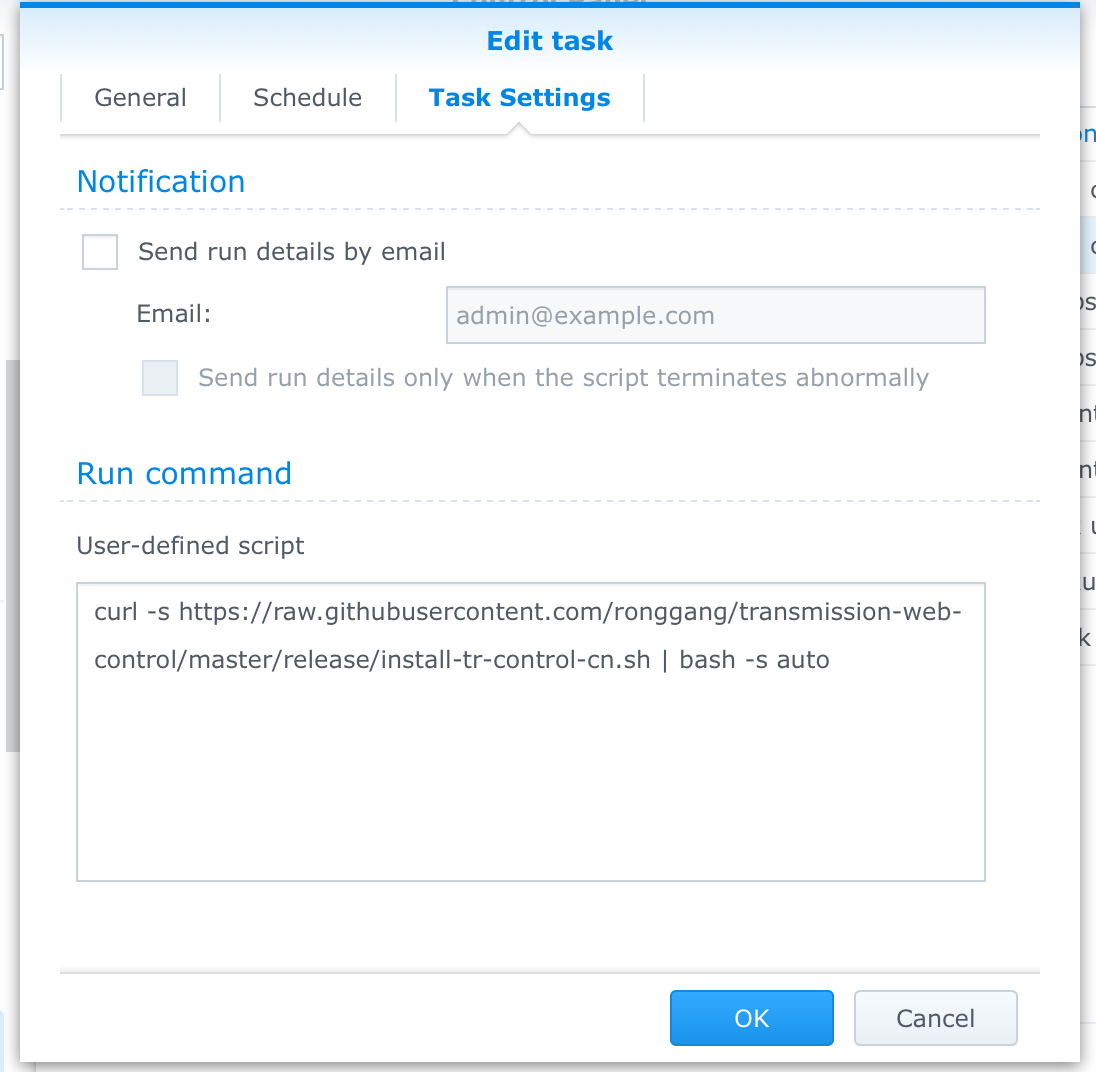
“任务设置”的“运行命令”->“用户定义的脚本”中输入:curl -s https://raw.githubusercontent.com/ronggang/transmission-web-control/master/release/install-tr-control-cn.sh | bash -s auto国内用户可使用
gitee镜像地址:curl -s https://gitee.com/culturist/transmission-web-control/raw/master/release/install-tr-control-gitee.sh | bash -s auto -
如图:

-
脚本最后一定要加入
auto,要不然脚本不会自动下载; -
注:
auto前有一个空格; -
如果需要查看是否执行成功,可以再记录一个日志文件,将上面的脚本改为:
curl -s https://raw.githubusercontent.com/ronggang/transmission-web-control/master/release/install-tr-control-cn.sh | bash -s auto >> /volume1/MyFolder/install-tr-control-cn-log.txt 2>&1(此处
/volume1/MyFolder/是你想要存储日志文件的目录,需要确实存在。其中install-tr-control-cn-log.txt为日志文件,每次执行的步骤和结果均会记录)gitee镜像地址:
curl -s https://gitee.com/culturist/transmission-web-control/raw/master/release/install-tr-control-gitee.sh | bash -s auto >> /volume1/MyFolder/install-tr-control-cn-log.txt 2>&1

第二步 执行任务
- 任务创建好后就可以执行了,可以手工运行,选中该任务,点击 “运行”;
- 脚本将会自动下载最新的发行版本,执行过程根据网络情况而定;
- 如果不发生错误,过几分钟后就可以访问 http://IP:9091 查看结果;