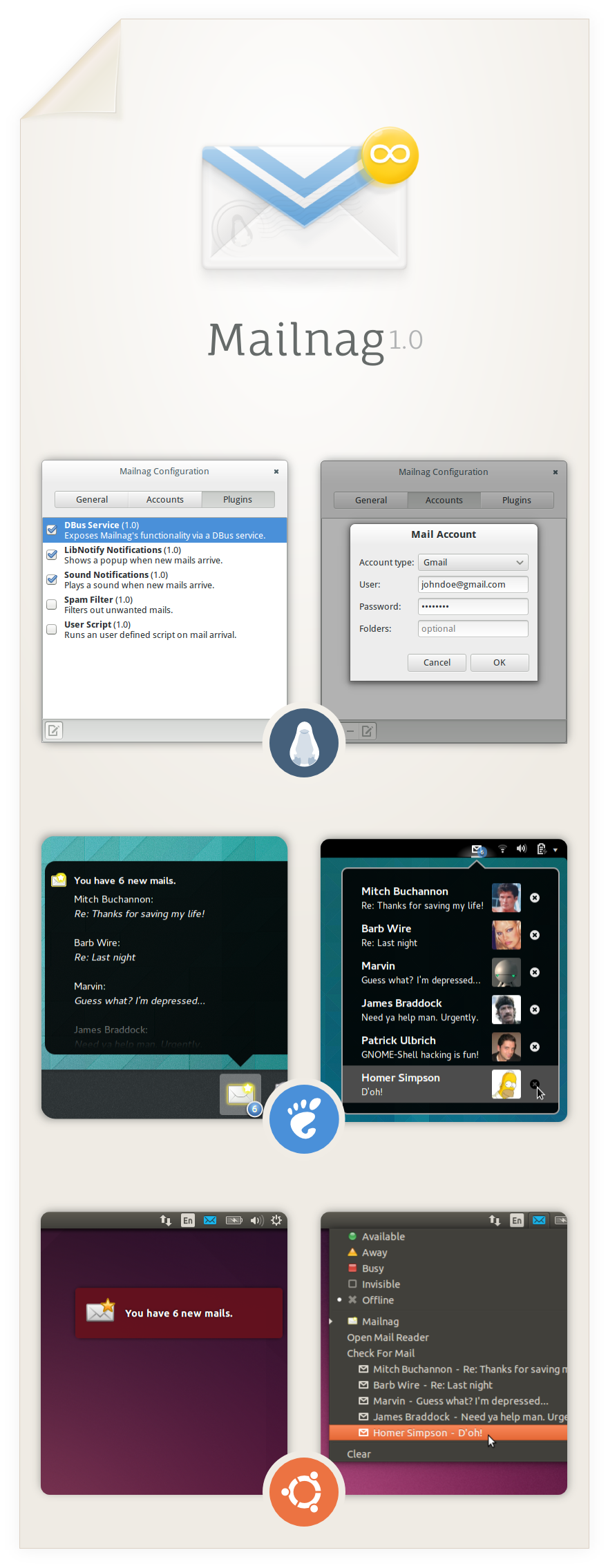
Mailnag
An extensible mail notification daemon.
Mailnag is a daemon program that checks POP3 and IMAP servers for new mail.
On mail arrival it performs various actions provided by plugins.
Mailnag comes with a set of desktop-independent default plugins for
visual/sound notifications, script execution etc. and can be extended
with additional plugins easily.
This project needs contributors!
Code
Bugtracker
Translations
Wiki
Installation
Ubuntu
Mailnag has an official Ubuntu PPA.
Issue the following commands in a terminal to enable the PPA and install Mailnag.
sudo add-apt-repository ppa:pulb/mailnag
sudo apt-get update
sudo apt-get install mailnag
As of Ubuntu 13.04 (Raring), Mailnag is also available in the official repos.
Run sudo apt-get install mailnag in a terminal to install it.
Debian
Mailnag is currently available in Debian unstable.
Run sudo apt-get install mailnag in a terminal to install it.
Fedora
As of Fedora 17, Mailnag is available in the official Fedora repos.
Just run yum install mailnag (as root) in a terminal to install the package.
Arch Linux
Mailnag is available in the AUR repository.
Please either run yaourt -S mailnag or packer -S mailnag (as root) to install the package.
Generic Tarballs
Distribution independent tarball releases are available here.
Just run ./setup.py install (as root) to install Mailnag,
though make sure the requirements stated below are met.
Requirements
- python2 (python3 won't work!)
- pygobject
- gir-notify (>= 0.7.6)
- gir-gtk-3.0
- gir-gdkpixbuf-2.0
- gir-glib-2.0
- gir-gst-plugins-base-1.0
- python-dbus
- pyxdg
- gettext
- gir-gnomekeyring-1.0 (optional)
- networkmanager (optional)
Configuration
Run mailnag-config to setup Mailnag.
Closing the configuration window will start Mailnag automatically.
Default Mail Client
Clicking a mail notification popup will open the default mail client specified in System Settings -> System Info -> Default Applications.
If you're a webmail (e.g. gmail) user and want your account to be launched in a browser, please install a tool like gnome-gmail.
Desktop integration
By default, Mailnag emits libnotify notifications, which work fine on most desktop environments
but are visible for a few seconds only. If you like to have a tighter desktop integration
(e.g. a permanently visible indicator in your top panel) you have to install an appropriate
extension/plugin for your desktop shell. Currently the following desktop shells are supported:
- GNOME-Shell (GNOME-Shell extension)
- Ubuntu Unity (MessagingMenu plugin)
- Cinnamon (WIP applet by hyOzd)
Furthermore, I highly recommend GNOME users to install the GOA plugin,
which makes Mailnag aware of email accounts specified in GNOME Online Accounts.
Screenshots