mirror of
https://github.com/pulb/mailnag.git
synced 2026-01-13 17:32:03 +01:00

93 lines
4.3 KiB
Markdown
93 lines
4.3 KiB
Markdown
|
|
|
|
## An extensible mail notification daemon
|
|
|
|
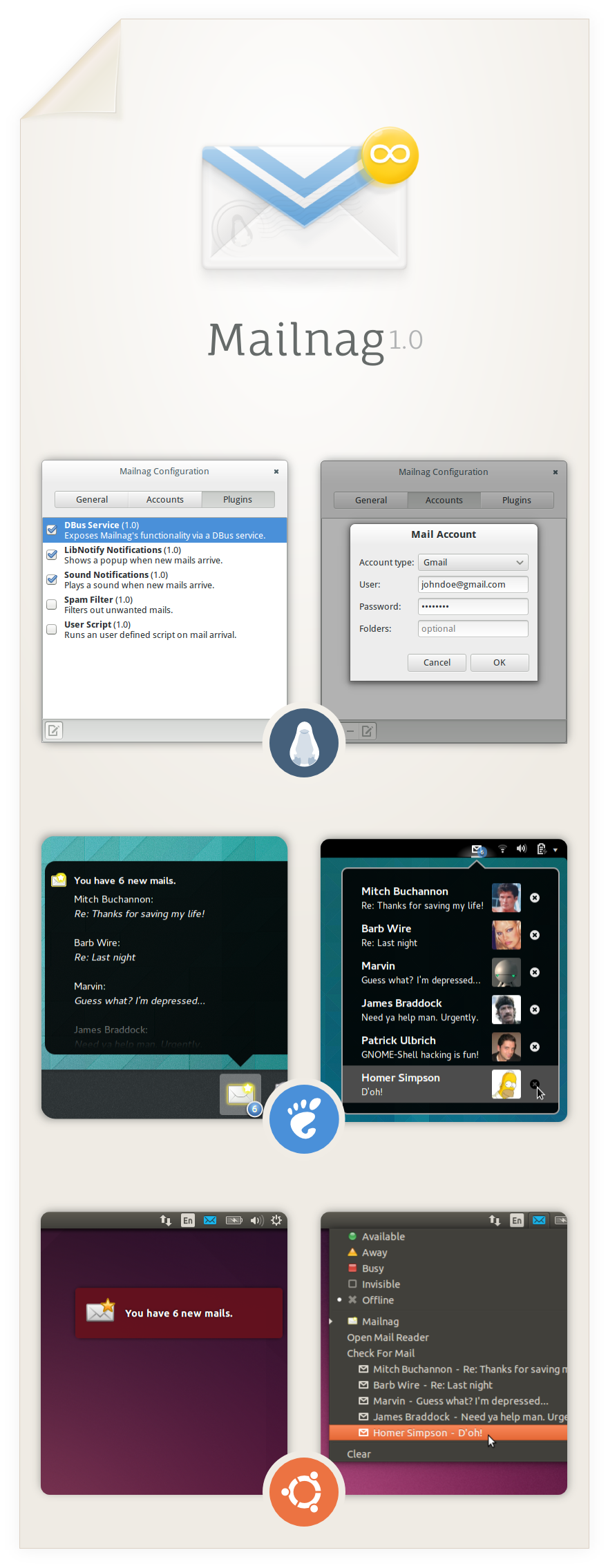
Mailnag is a daemon program that checks POP3 and IMAP servers for new mail.
|
|
On mail arrival it performs various actions provided by plugins.
|
|
Mailnag comes with a set of desktop-independent default plugins for
|
|
visual/sound notifications, script execution etc. and can be extended
|
|
with additional plugins easily.
|
|
|
|
__This project needs your support!__
|
|
If you like Mailnag, please help to keep it going by [contributing code](https://github.com/pulb/mailnag),
|
|
[reporting/fixing bugs](https://github.com/pulb/mailnag/issues), [translating strings into your native language](https://translations.launchpad.net/mailnag),
|
|
[writing docs](https://github.com/pulb/mailnag/wiki) or by [making a donation](https://www.paypal.com/cgi-bin/webscr?cmd=_s-xclick&hosted_button_id=8F5FNJ3U4N7AW).
|
|
|
|
<a href="https://www.paypal.com/cgi-bin/webscr?cmd=_s-xclick&hosted_button_id=8F5FNJ3U4N7AW" target="_blank">
|
|
<img src="https://www.paypalobjects.com/en_US/GB/i/btn/btn_donateCC_LG.gif" alt="PayPal — The safer, easier way to pay online."/></a>
|
|
|
|
## Installation
|
|
|
|
### Ubuntu
|
|
Mailnag has an official [Ubuntu PPA](https://launchpad.net/~pulb/+archive/mailnag).
|
|
Issue the following commands in a terminal to enable the PPA and install Mailnag.
|
|
|
|
sudo add-apt-repository ppa:pulb/mailnag
|
|
sudo apt-get update
|
|
sudo apt-get install mailnag
|
|
|
|
As of Ubuntu 13.04 (Raring), Mailnag is also available in the official repos.
|
|
Run `sudo apt-get install mailnag` in a terminal to install it.
|
|
|
|
### Debian
|
|
Mailnag is available in Debian stable and unstable.
|
|
Run `sudo apt-get install mailnag` in a terminal to install it.
|
|
|
|
### Fedora
|
|
As of Fedora 17, Mailnag is available in the official Fedora repos.
|
|
Just run `yum install mailnag` (as root) in a terminal to install the package.
|
|
|
|
### Arch Linux
|
|
Mailnag is available in the official repos.
|
|
Please run `pacman -Syu mailnag` (as root) to install the package.
|
|
|
|
### openSUSE
|
|
Mailnag is available in openSUSE Tumbleweed.
|
|
Run `sudo zypper install mailnag` in a terminal to install it.
|
|
|
|
### Generic Tarballs
|
|
Distribution independent tarball releases are available [here](https://github.com/pulb/mailnag/releases).
|
|
Just run `./setup.py install` (as root) to install Mailnag,
|
|
though make sure the requirements stated below are met.
|
|
|
|
###### Requirements
|
|
* python3
|
|
* pygobject
|
|
* gir-notify (>= 0.7.6)
|
|
* gir-gtk-3.0
|
|
* gir-gdkpixbuf-2.0
|
|
* gir-glib-2.0
|
|
* gir-gst-plugins-base-1.0
|
|
* python-dbus
|
|
* pyxdg
|
|
* gettext
|
|
* gir-gnomekeyring-1.0 (optional)
|
|
* networkmanager (optional)
|
|
|
|
|
|
## Configuration
|
|
Run `mailnag-config` to setup Mailnag.
|
|
Closing the configuration window will start Mailnag automatically.
|
|
|
|
### Default Mail Client
|
|
Clicking a mail notification popup will open the default mail client specified in `GNOME Control Center -> Details -> Default Applications`.
|
|
If you're a webmail (e.g. gmail) user and want your account to be launched in a browser, please install a tool like [gnome-gmail](http://gnome-gmail.sourceforge.net).
|
|
|
|
### Desktop Integration
|
|
By default, Mailnag emits libnotify notifications, which work fine on most desktop environments
|
|
but are visible for a few seconds only. If you like to have a tighter desktop integration
|
|
(e.g. a permanently visible indicator in your top panel) you have to install an appropriate
|
|
extension/plugin for your desktop shell. Currently the following desktop shells are supported:
|
|
* GNOME-Shell ([GNOME-Shell extension](https://github.com/pulb/mailnag-gnome-shell))
|
|
* Ubuntu Unity ([MessagingMenu plugin](https://github.com/pulb/mailnag-messagingmenu-plugin))
|
|
* Elementary Pantheon ([MessagingMenu plugin](https://github.com/pulb/mailnag-messagingmenu-plugin))
|
|
* XFCE ([MessagingMenu plugin](https://github.com/pulb/mailnag-messagingmenu-plugin))
|
|
* Cinnamon ([Applet by hyOzd](https://bitbucket.org/hyOzd/mailnagapplet))
|
|
|
|
Furthermore, I highly recommend GNOME users to install the [GOA plugin](https://github.com/pulb/mailnag-goa-plugin),
|
|
which makes Mailnag aware of email accounts specified in GNOME Online Accounts.
|
|
|
|
### Troubleshooting
|
|
If Mailnag doesn't work properly for you, either examine the system log for errors (`journalctl -b _COMM=mailnag`)
|
|
or run `mailnag` in a terminal and observe the output.
|