mirror of
https://github.com/vrana/adminer.git
synced 2026-02-21 14:07:55 +01:00

52 lines
1.9 KiB
Markdown
52 lines
1.9 KiB
Markdown
# Adminer
|
|
|
|
**Adminer** is a full-featured database management tool written in PHP.
|
|
It consists of a single file ready to deploy to the target server.
|
|
**Adminer Editor** offers data manipulation for end-users.
|
|
|
|
https://www.adminer.org/
|
|
|
|
- **Supports:** MySQL, MariaDB, PostgreSQL, CockroachDB, SQLite, MS SQL, Oracle
|
|
- **Plugins for:** Elasticsearch, SimpleDB, MongoDB, Firebird, ClickHouse, IMAP
|
|
- **Requirements:** PHP 5.3+
|
|
|
|
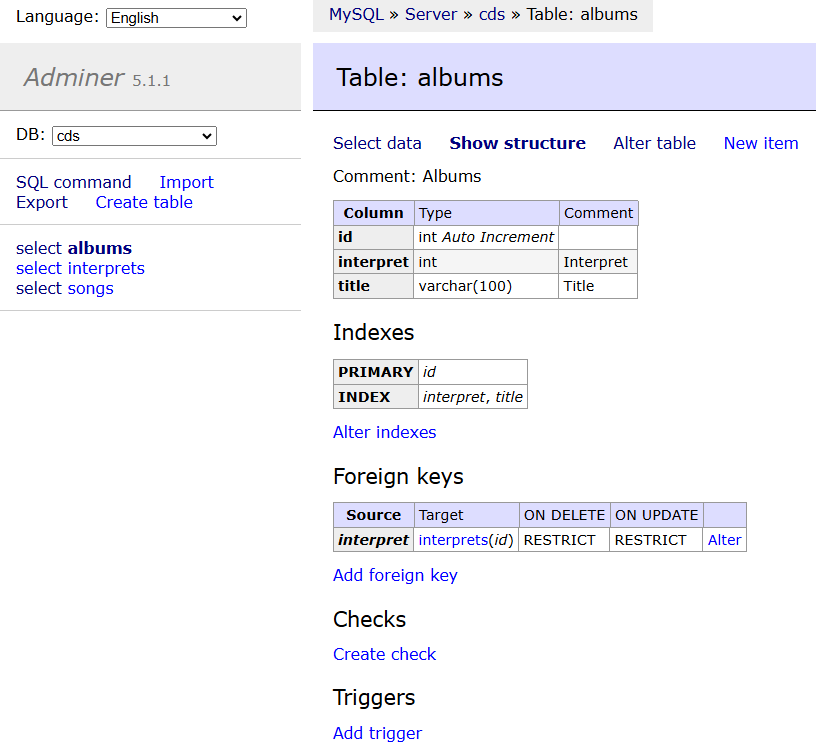
## Screenshot
|
|
|
|
|
|
## Installation
|
|
If downloaded from Git then run: `git submodule update --init`
|
|
|
|
- `adminer/index.php` - Run development version of Adminer
|
|
- `editor/index.php` - Run development version of Adminer Editor
|
|
- `editor/example.php` - Example customization
|
|
- `adminer/sqlite.php` - Development version of Adminer with SQLite allowed
|
|
- `editor/sqlite.php` - Development version of Editor with SQLite allowed
|
|
- `adminer/designs.php` - Development version of Adminer with `adminer.css` switcher
|
|
- `compile.php` - Create a single file version
|
|
- `lang.php` - Update translations
|
|
- `tests/*.html` - Katalon Recorder test suites
|
|
|
|
## Plugins
|
|
There are [several plugins](plugins/) distributed with Adminer and there are also many user-contributed plugins linked from https://www.adminer.org/plugins/.
|
|
To use a plugin, simply upload it to `adminer-plugins/` next to `adminer.php`. You can also upload plugins for drivers (e.g. `elastic.php`) here.
|
|
|
|
```
|
|
- adminer.php
|
|
- adminer-plugins/
|
|
- dump-xml.php
|
|
- login-password-less.php
|
|
- elastic.php
|
|
- ...
|
|
- adminer-plugins.php
|
|
```
|
|
|
|
Some plugins require configuration. To use them, create a file `adminer-plugins.php`. You can also specify the loading order here.
|
|
|
|
```php
|
|
<?php // adminer-plugins.php
|
|
return array(
|
|
new AdminerLoginPasswordLess('$2y$07$Czp9G/aLi3AnaUqpvkF05OHO1LMizrAgMLvnaOdvQovHaRv28XDhG'),
|
|
// You can specify all plugins here or just the ones needing configuration.
|
|
);
|
|
```
|