mirror of
https://github.com/gitbucket/gitbucket.git
synced 2026-08-09 10:37:07 +02:00
7
Connect to H2 database
leo edited this page 2017-03-16 21:58:18 +09:00
You can look GitBucket data in H2 via H2 Console integrated into GitBucket.
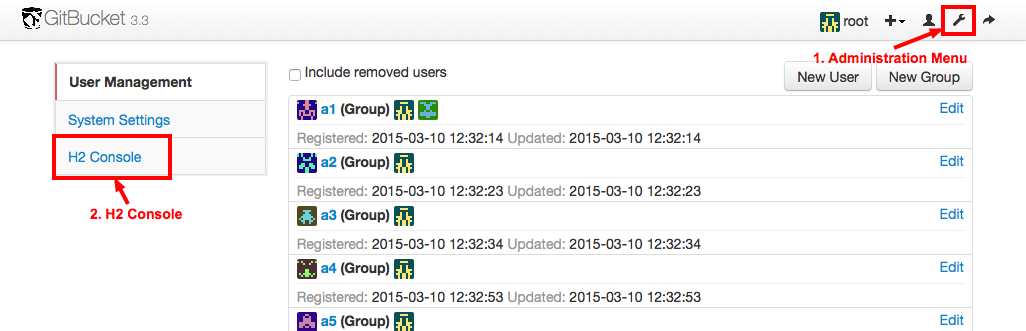
- Logged-in to GitBucket with administrator user
- Click Administration in the header
- Click H2 Console in the side menu of administration page
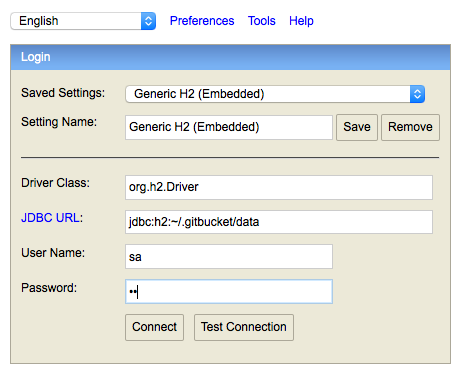
Then, you can see the connection form of the H2 console. To connect GitBucket database, input connection information as following:
- Driver Class: org.h2.Driver
- JDBC URL: jdbc:h2:~/.gitbucket/data
- Note: Replace "~/.gitbucket" with your HOME directory if you changed the directory (e.g. "jdbc:h2:C:\GitBucket_HOME\data").
- User Name: sa
- Password: sa